Facebook Marketplace notifications guide
Last reviewed
Facebook’s built-in search alerts often lump old listings together or skip narrow price caps. BStalker gives you dedicated email and browser push notifications whenever a new Facebook Marketplace listing matches the searches you save.
You run the free watcher from Chrome on your computer and receive matches anywhere by email or web push. Your Facebook session stays inside your own browser.
How to set up Facebook Marketplace notifications
- Install from the Chrome Web Store. Add BStalker Marketplace Alerts to desktop Chrome, Edge, or Brave.
- Connect your BStalker account. Open setup at
/marketplace-alertsand link your browser with one click. - Add searches and pick notification channels. Choose browser push, email, or both on each saved Marketplace search.
The watcher runs while Chrome is open on this computer. When you reopen Chrome it catches up on anything it missed.
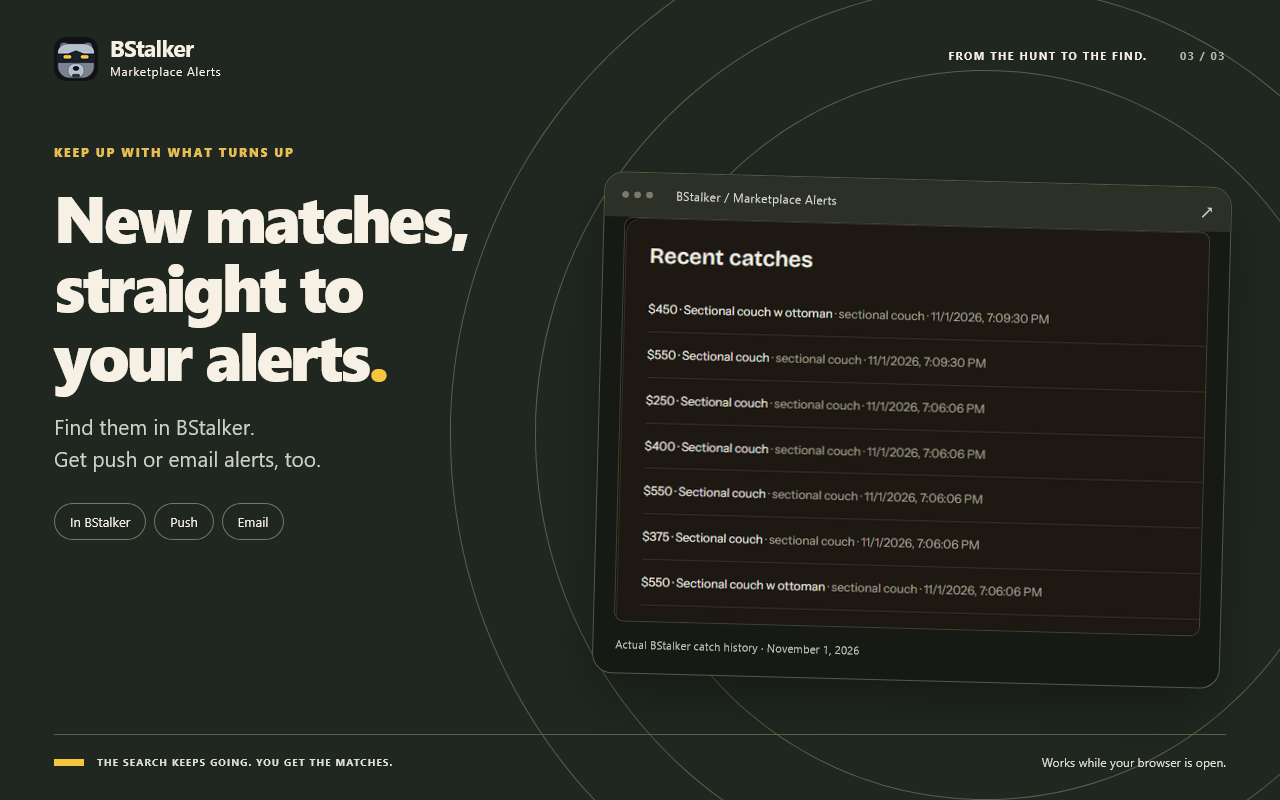
Real caught-listing timestamps from November 1, 2026
Every caught match records the listing details and the exact time BStalker picked it up from your active browser search, shown here from real sectional-couch test matches.
What is included on free vs paid plans?
The Chrome extension itself is free to install. Free accounts run the demo cadence: 1 search, checked about every 30 minutes. Full Access runs 3 searches checked every 2 to 5 minutes. Paid Full Access accounts unlock more watched searches and shorter intervals between checks. No timing is guaranteed because checks only run while Chrome is open and listings can sell or change between checks.
Your Facebook login never leaves this browser. We never see it and never store it.
Related Marketplace alert guides
- Facebook Marketplace alerts overview
How BStalker watches local searches in Chrome and delivers matches by push or email.
- Set up keyword, price, and radius alerts
Dial in search phrases, price ceilings, and distance filters to cut noisy results.
- About the Chrome Web Store extension
What the extension reads, why it runs on desktop Chromium, and how connecting works.
FAQ
Can I receive Facebook Marketplace notifications on my phone?
Yes. Set up the free Chrome extension on a Windows or Mac computer, then turn on email alerts or browser push notifications in BStalker so matches arrive on your phone.
Why does notification setup need Chrome on a computer instead of Safari on iPhone?
Mobile browsers like iOS Safari suspend background extensions when a screen locks. The watcher runs while Chrome is open on this computer. When you reopen Chrome it catches up on anything it missed.
Does BStalker need my Facebook password to send notifications?
No. Your Facebook login never leaves this browser. We never see it and never store it.
How often does the watcher check for new notifications?
Free accounts use demo cadence and paid Full Access plans check faster. Free accounts run the demo cadence: 1 search, checked about every 30 minutes. Full Access runs 3 searches checked every 2 to 5 minutes.